

There are many and complex reasons why individual fans or individual artists continue to use Spotify even when they feel unwilling to, like they would leave if they were not contractually trapped, or would leave if they even knew how music without Spotify might ‘work’ in their context.
The first decision I made, after a few months of thinking about it, was that there was no point moving from Spotify to a different streamer. They all face the same structural problem: you end up renting the whole world’s music collection for your whole life without an asset to show for it. This means that you will be spending around $13 / £13 a month for your whole life. (Yes, I am appalled as you that the price in UK £ is the same as it is in US $! It means that UK listeners pay more like $20 a month for the same service.)
Someone subscribing to Spotify for 50 years will therefore pay these ‘rental’ fees of around $8,000 (or £8,000) with nothing at all to show for it. If you are a power user with a family plan and add a few audiobook hours on top you will already be spending closer to $30 every month in the USA, or $42 in the UK.
If you have a political complaint against the owners and founders of Spotify, what makes you think some nefarious tech bro will not buy Qobuz or Tidal tomorrow? No. I was either streaming or I was not, and at Christmas I stopped being a streamer: cold turkey, in more ways than one.
The next challenge, as with any addiction, was to figure out if I could stay stopped. Turns out I could. I do have a few advantages. I bought into iTunes long before streaming was a thing. I had a v2 iPod or whatever edition it was in 2002 and I did not hold back on filling it with music. I still bought CDs back then, and my laptop in those times had a CD drive. So I religiously ripped every CD I bought into my iTunes library. A little later on, I put all this music, mainly in MP3 format (of which more later) onto an external hard drive.
I quickly discovered that it is still possible, in 2026, to buy MP3s on Amazon or (via a convoluted process) you can convert your iTunes purchases to MP3 for playing on non-Apple devices such as Android phones. Great! Let battle commence.
My next discovery, for Sonos fans, was that you can point your Sonos at an external hard drive using the ‘Music Folder’ settings and stream all those MP3s around your home. This was important because it meant no new speaker purchases, and it meant in fact no new equipment purchases at all. My phone, my Sonos and all bluetooth speakers, even my car, can all access my entire collection of MP3s collected since around 2002. And all those 1980s CDs I ripped to MP3 since.
The next challenge, as with any addiction, was to figure out if I could stay stopped.
I admit some advantages here in the equipment I have accumulated through the decades. But whatever your setup, the point is that MP3 is the music format that will work on whatever you own. You do not need an external hard drive or Sonos, or a car with CarPlay. But if you do, things are easier.
If you don’t, you will still save money buying MP3 and (even better) the artists will receive 100% of your money after the retailer or other distributor takes their cut. Instead of receiving two magic beans for every stream, your local indie artist is suddenly receiving more like $8 - $10 for each album. For an artist with fewer than a thousand fans, that is a fortune compared to what they will ever make on Spotify. They might be making more like $10,000 per album instead of the price of a Big Mac.
One reason I focus here on MP3 (digital music) is that most indie artists cannot ship CDs or vinyl around the world at competitive prices due to shipping costs. The postage typically costs the same (or more) as the album itself. It just doesn’t work out financially to ship one unit, and takes forever and a day.
Even new indie artists can distribute via Bandcamp, iTunes or Amazon for digital music. And the very keen amongst you can still burn those MP3s to tape or CD at something close to lossless quality if you wish. One thing I would love to see (as a words and lyrics fan) is the ability to download lyric books and other artwork in digital formats because I really, really miss that aspect with digital music.
Below I will walk you through a couple of tips for setting up an external networked drive and using it with Sonos. This is just an example of the myriad things you can do when you own and curate your own music collection. It does take some planning but this is only a one-off time suck: once you are set, it needs little to no maintenance.
I set up my hard drive ten years ago and it has been purring away in the corner ever since, automatically updating itself and automatically powering down when not in use. They are not expensive compared to your annual streaming fees.
I focus on music here because you cannot do this for TV streaming so easily, for lots of reasons, not least the sheer size of digital video. We are all blessed that an MP3 track is only around 5MB which means the humblest, oldest phones can store thousands of them. Even my ancient 5GB iPod could store 1,000 songs like that and your phone is probably at least 128GB, so room for 25,000 songs!
Storage Options
There are so many hard drive options. Mine is a Western Digital but the company have moved away a little from consumer storage. I hear good things about Synology although you can just search for NAS, or Network Attached Storage. This is crucial information because it means the device can run without a computer being turned on. It has its own power supply and internet connection, which means it uses minimal power and can turn itself off overnight. Some of them come with an uninterrupted power supply (UPS) option which means it will run even when your mains electricity cuts out.
UGREEN also have some nice-looking devices at a reasonable price. My drive has two separate hard drives which are dupes of each other, which guards against drive failure, but I can say that in ten years both of my 2016 drives are still running smoothly so this is not a necessary requirement. If you do have two bays (or even more) then this can be a cheaper way to add capacity, and more resilient too.
The other thing I can share, screenshots below, is how to point your Sonos at your hard drive if that is important to you. Otherwise, you can just stream from your hard drive to your phone (or any other device) using whatever cloud app comes with your hard drive and play on any headphones or bluetooth speakers. Even better, your new hard drive can store any type of files so you might save on other cloud storage services too if you rely on Apple iCloud or Google Drive, for example.
Sonos: Step 1
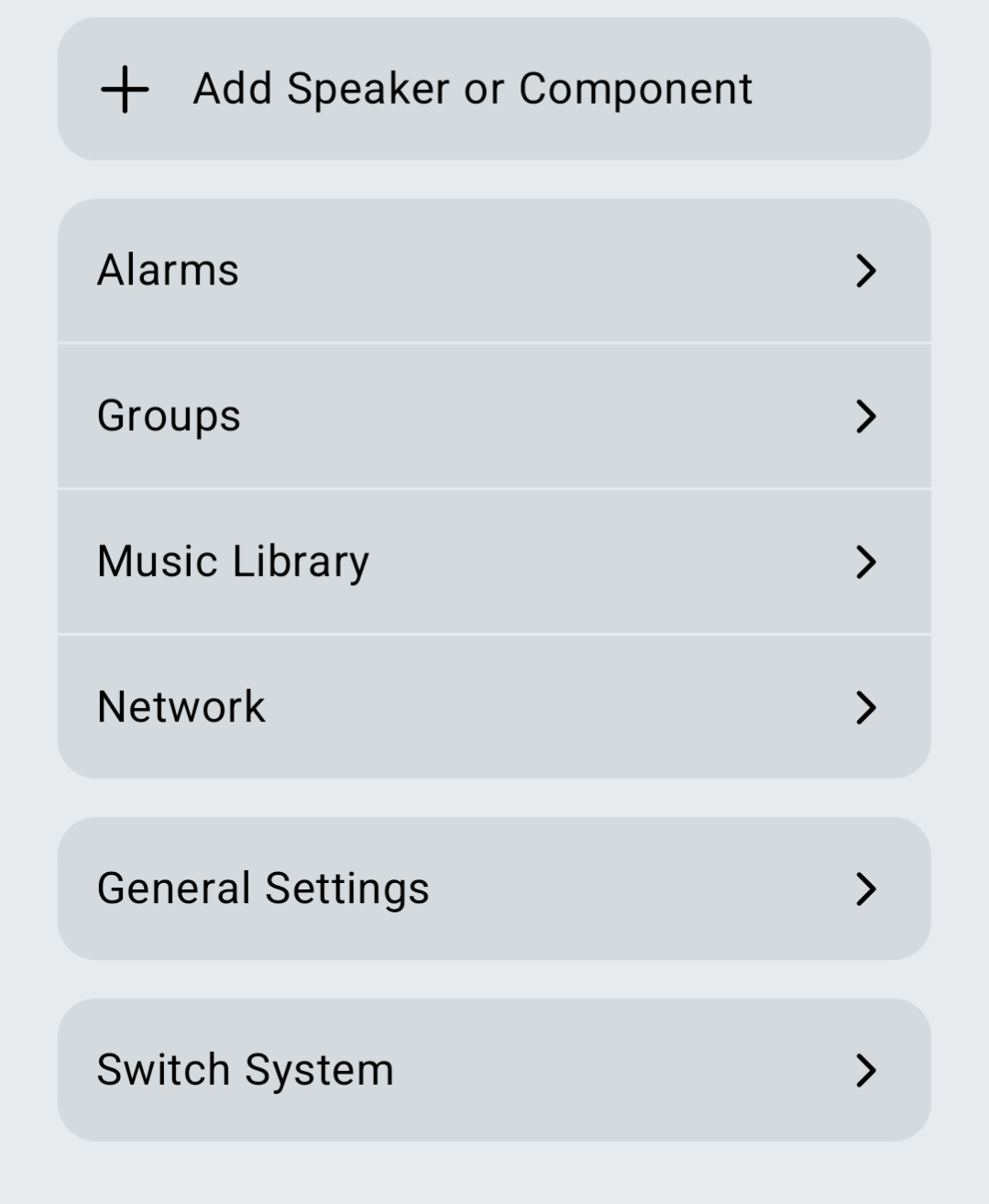
Go to your Settings page in your Sonos app on your phone. Half-way down (see below) you will see the ‘Music Library’ option. Click this.
Sonos: Step 2
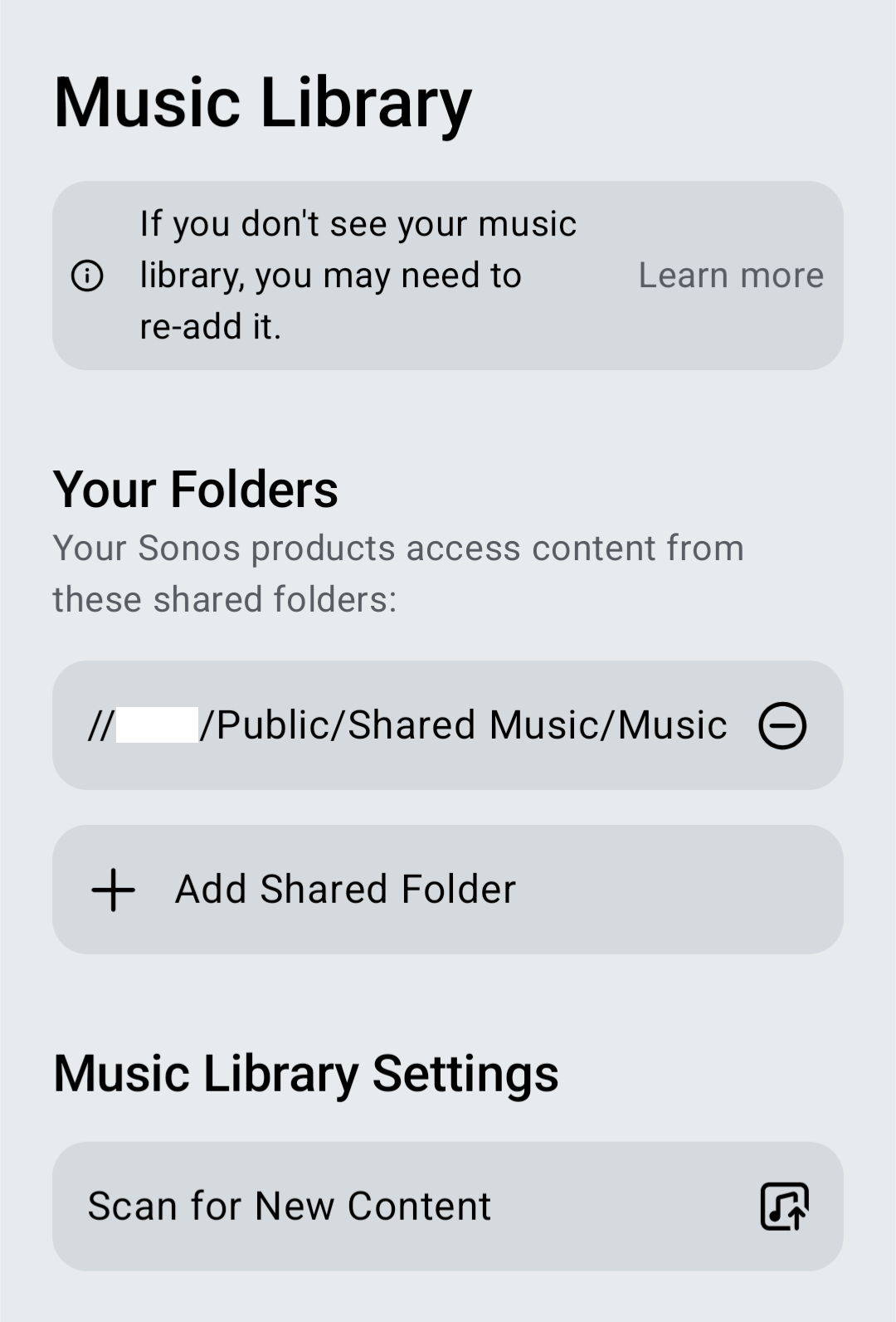
You just click on ‘+ Add Shared Folder’ shown below. I have blanked out part of the name of my shared folder as it gives clues to my home address. Whenever you add new music to your drive it will appear on Sonos the next day, or you can click ‘Scan for new content’ below to add it immediately.
Sonos: Step 3
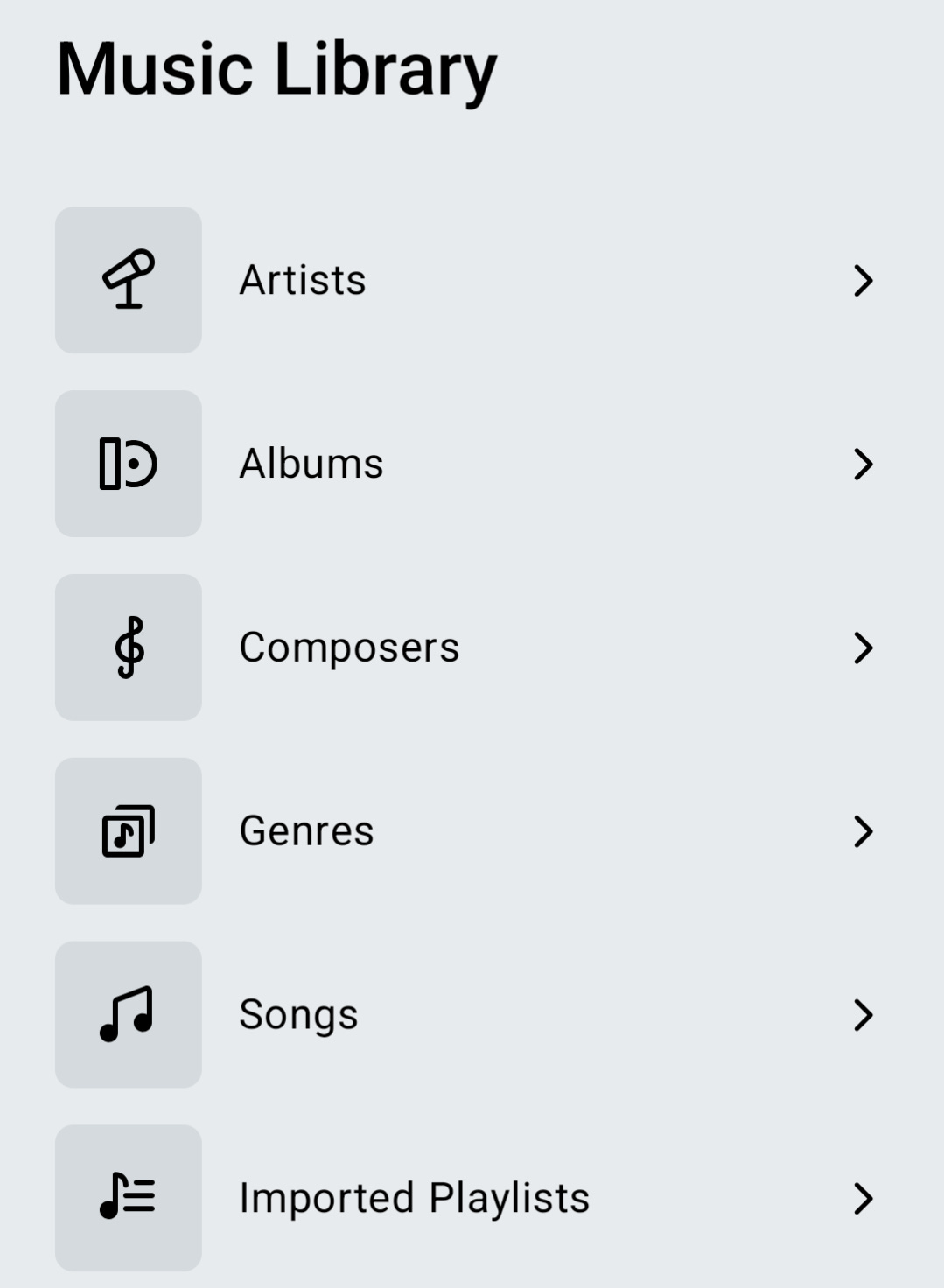
You’re setup and can now play your music! Just look for the 'Music Library’ section on your Sonos homescreen on your Sonos app.
Support
Lucky for you, the audience for Tennessee Vibes is still on the niche side. Comment below if you want some help, or DM me.